Tank printers have become quite common in homes, offices, and large businesses. Wi-Fi connectivity is more reliable and flexible, allowing you to print from your mobile devices. Many wireless printers offer third-party applications for printing from IOS, Android, and other devices. Some may also directly support printing from cloud-based services. We have listed the best tank printer for Home use with refillable ink tanks or cartridges. HP is usually the more affordable option and offers the best tank Printer for home use, as do Epson printers with Ecotank technology.
Have a look and enjoy!
which inktank printer is best
Canon Pixma G6020 is the best budget refillable ink printer that can copy, scan, and do mobile printing as well. Canon G6020 works with Alexa.
Should I buy a printer with refillable ink?
Things to consider while buying the best ink tank printer for home use
1) Pages per minute(PPM)
2) Print engine.
3) Resolution.
4) Scanning feature
5) Printing performance/duty cycles.
6) Wireless connectivity.
7) Replacement cartridge availability.
8.) Duplex printing.
9) Driver support.
10) Ink usage.
Best Ink Tank Printers Review
| Best tank Printers | PPM B/C | Sheet Capacity | Price |
| Epson Eco Tank 8550 | 16/12 | 100 sheets | $749 |
| Epson EcoTank ET-2800 | 10/5 | 100 | $216 |
| Epson EcoTank ET-2850 | 10.5/5 | 100 | $319 |
| HP Smart Tank 5101 | 12/5 | 100 | $151 |
| Epson EcoTank ET-2400 | 10/5 | 100 | $159 |
| Canon MegaTank G3270 | 11/6 | 100 | $184 |
Best Ink Tank Printer Review
Epson Eco tank ET-8550
Best Overall

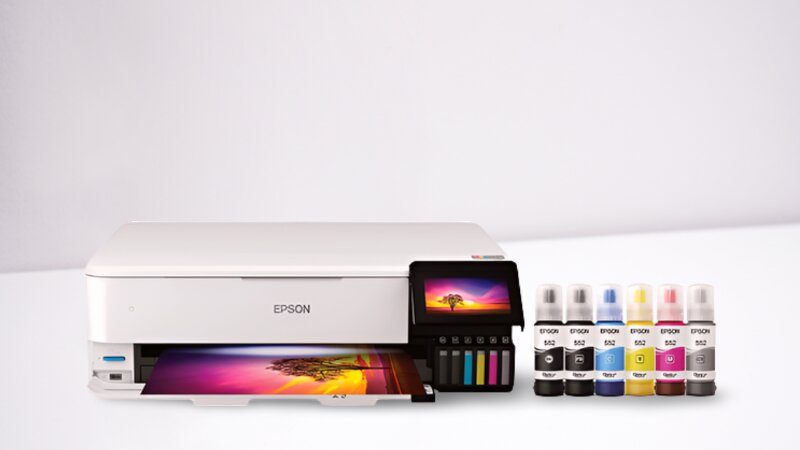
- It helps in making borderless photos with true print Quality.
- The all-in-one printer ET-8550 has a printer, scanner, and copier
- The print speed is 12ppm(pages per minute) in colour and 16 ppm in monochrome
- No need for cartridges
- The printer uses Ink bottles for bright colour images.
- Epson Eco Tank ET-8550 is the best ink tank printer for home use
Pros
- Auto two-sided printing
- It has USB or micro SD card slots
- It offers low-priced replacement Ink bottles that save up to 80% on Ink.
- Each replacement ink bottle set is equal to 100 individual cartridges
- best ink tank photo printer
Overall, the Epson ET-8550 is one of the best Epson printers with an ecotank for home use, offering true print Quality and allowing you to print for up to 2 years with these replacement ink bottles.


Best Value
Epson EcoTank ET-2850
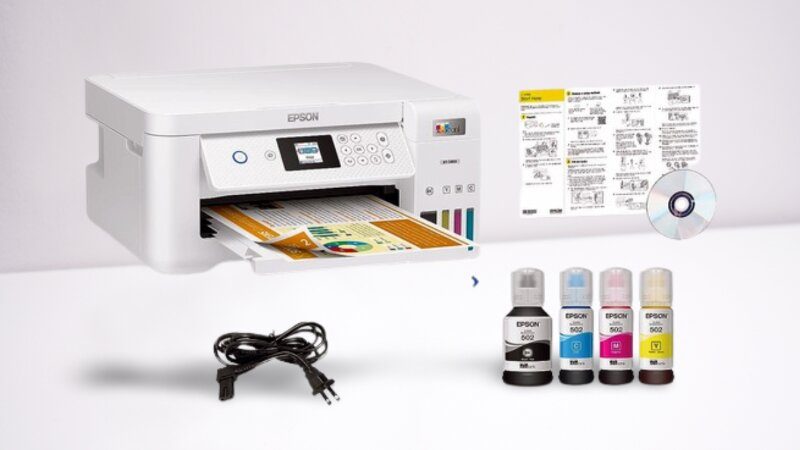
| FEATURES | + Best for offices and homes that need prints in large volume + Cartridge-free refillable Ink tank printer + It comes with 2 years of ink bottles +Saves Money |
| PROS | + Best for offices and homes that need prints in large volumes + Cartridge-free refillable Ink tank printer + It comes with 2 years of ink bottles +Saves Money |
| CONS | The screen of the printer is quite small |
Looking for something that saves money yet is the best tank printer for home and office? Well, here’s what we have got for you.
Epson EcoTank is one of the best tank printers for home use and the best printers for teachers. It features a network-ready colour touch screen, WiFi, and fast printing speed. The device can print, scan, Fax, and copy from anywhere through a smartphone or tablet.
Moreover, the Epson EcoTank ET-2850 Printer is one of the printers with refillable ink tanks. For iOS and Android, you can use the Epson Smart Panel App. whether a restaurant or a friend’s house, in the minimum time with the highest quality results. The wireless printer has a 1.4-inch colour touchscreen display, an auto-duplexer, and a 35-sheet automatic file feeder.
Coming towards the dimensions, it is 19”x20.7”x21 inches high, so it will not take up much space. The device comes with an
All-in-one properties
The home screen of the printer shows all the commonly used options, including scan, print, fax, auto 2-sided printing, and copy, quick setup menu, graphical gauge, ink left in the tanks, etc.
Most importantly, the device doesn’t require cartridges because Epson printer ink is refilled with ecofit ink bottles, and the Epson ecotank refill cost is low due to refillable ink bottles. The digital filing networking folder allows you to manage your images over a network, whereas the email button can be used for one-touch scan delivery.
Lastly, the bottom of the panel features a powered port for plugging in, as it is a WiFi printer, with a USB port for image printing and scanning.
Firstly, configure it with your smartphone and scan, print, and copy from your phone or tablet.
Moreover, it allows you to host computers in three ways, through the network with built-in WiFi, Bluetooth, and voice printing. The printer comes with a 250-sheet input drawer fixed into the machine. Also, you can extend the tray to accommodate A4 or legal-size paper. In addition to that, it has a tray with a capacity of 100 sheets for multiple purposes.
Lastly, the printer cycle can run up to 3,000 pages per month.
Why Buy Epson Ecotank ET-2850
- Epson Eco-tank printers feature an Auto Duplexer.
- It provides excellent-quality prints.
- Epson 2850 is the budget-friendly best ink tank printer for home use
- best ink tank photo printer
- Also, it has a convenient dual-band WiFi that easily connects to your 5 GHz network
- The Eco tank printer supports voice assistants like Alexa, Google Home, and Siri
- The best printer for the classroom
- The best printer for teachers
- One of the best photo printers under $200
Best Ink Tank Printer for Home Use
If you occasionally use printers, then the Epson Eco Tank ET 2800 is the right option for basic home usage.
Epson Eco-Tank ET-2800 Printers
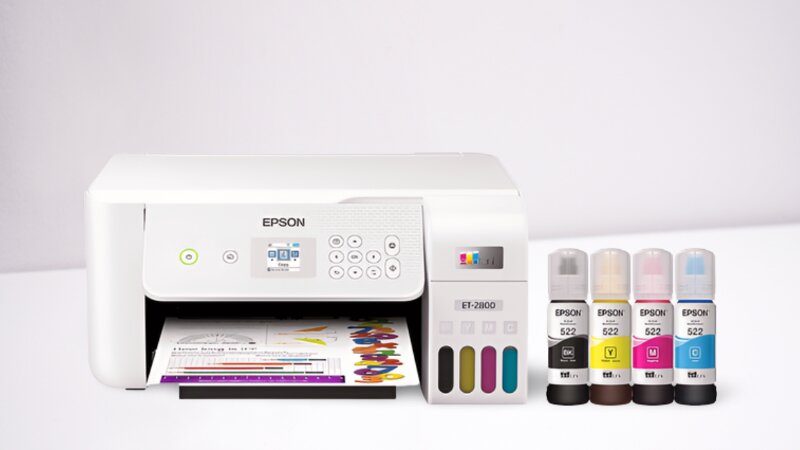
Epson EcoTank ET-2800 is the best high-quality Epson EcoTank printer under $200 for Home use that effectively delivers a lot of bang for your buck. It features a 1.4” colour touch screen. The tank printer successfully prints at a speed of 5ppm for colored pages and 10ppm for monochrome with an impressive resolution. The wireless printer has up to 2 years of Ink In-box and 150 sheets capacity and can print A4, A5, letter, folio, ISO BF, and much more. It is compatible with AirPrint, Google Cloud Print, WiFi, smartphones, PC, etc.
Moreover, Cartridges free printing with Epson printer refillable ink eco-fit bottles that are able to refill the ink in a high-capacity ink tank, so no need to change cartridges often, and it works with an internal ink storage tank. If you are looking for a multifunction yet best wireless ecotank printer, go for it. It is one of the best tank printers for Macs, too.
Pros
- Epson EcoTank ET-2800 prints excellent quality stuff
- It is one of the printers with refillable ink tanks
- It can sync wirelessly with multiple devices
- You can print documents from a smartphone or tablet
- It offers a high-yield Ecofit bottle option.
- It can print 10ppm (pages per minute) on black and white paper
- best printer for art prints on a budget
- best printer for teachers
- best ink tank photo printer
Cons
- It can consume more power
- The design is not modern, and the printer occupies a large space
- It is a bit noisy
Best Tank Printer for Home Use
Epson ET-2720

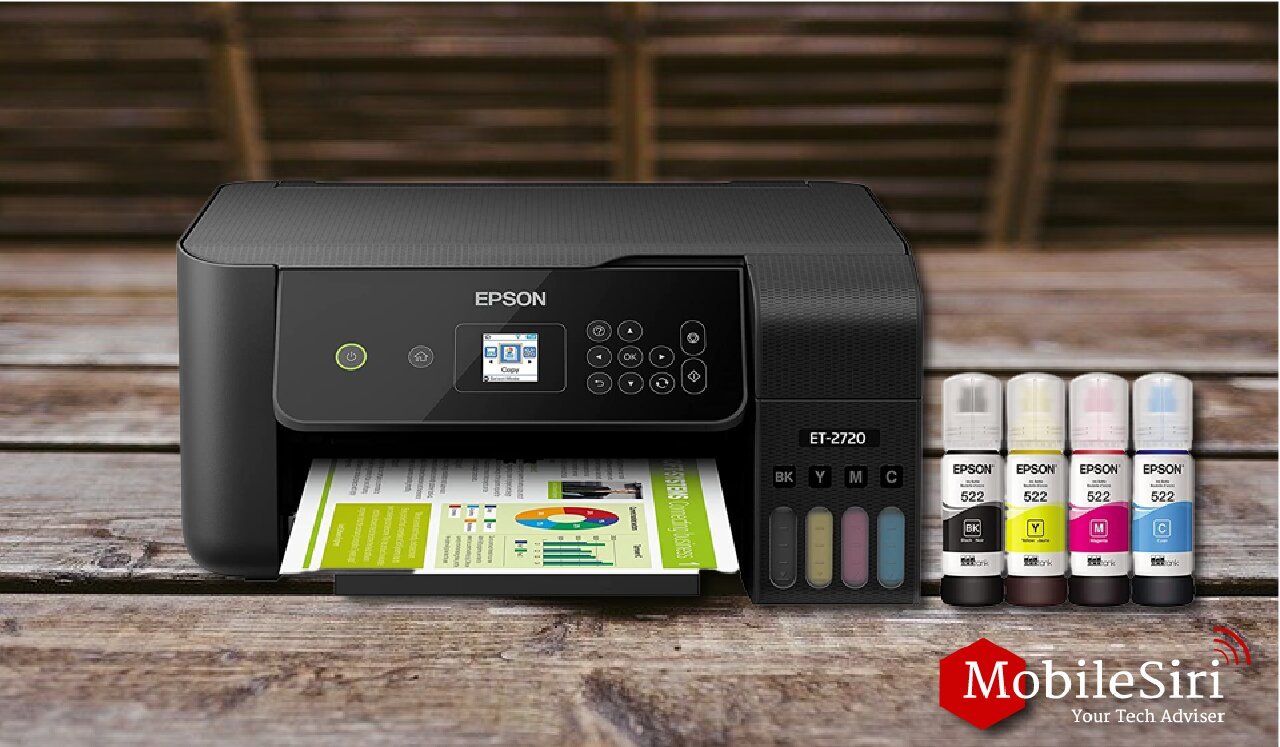
Epson ET-2720 is one of the Best Supertank Printers that offers both good printing and convenience that fits your needs. It is easy to set up and offers you pro-level features. The Ecotank printer prints 14 pages per minute for black and white documents and 7 pages per minute for colour documents. It prints photos at 1.2 per minute, thus one of the fastest printers you can have. Also, it is one of the affordable inkjet printers with refillable ink tanks.
The primary paper tray of the Epson printers with Ecotank can hold up to a few pages of plain printer paper, which is quite impressive.
In addition, a document feeder on the back of the printer allows you to print nonstandard documents such as envelopes and cardstock.
Furthermore, an automatic file feeder lets you scan and print several pages at a time. The EcoTank ET-2720 Wi-Fi tank printer scanner has built-in scanning, copying, and printing capabilities. The refillable Ink tanks and innovative cartridge-free printing functionality let you save up to 90% with replacement Ink bottles.
In addition, the Epson printers with the ecotank feature support common media cards and storage. Also, you can save scanned documents to external storage or cloud storage services such as Google Drive, Dropbox, etc.
Finally, it offers network connectivity through Ethernet or Wi-Fi. It also supports Mobile printing and Google Cloud Print.
Pros
- Epson ET-2720 printer has a robust feature set.
- Epson comes with refillable printer ink cartridges
- best colour printer for teachers
- The tray holds up very few pages.
- best ink tank photo printer
Epson printers with Ecotank
EPSON Eco Tank 4800
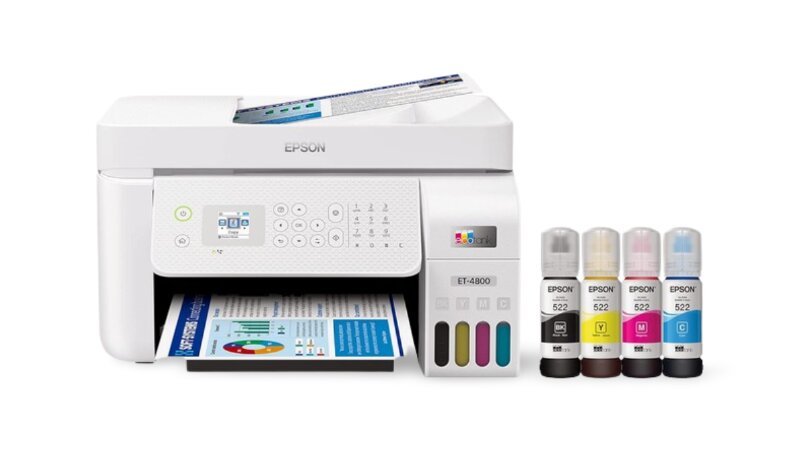
The EPSON Eco Tank 4800 is one of the best EPSON printers with EcoTank. It has a space-saving design and can have mobile, wifi, and Ethernet printing. The front of the wireless printer has an easy-to-use display panel that features simple icons to access various tasks quickly, such as printing, scanning, and copying. It gives you an Easy setup to connect your printer to the Tablet, PC, and smartphone through Wi-Fi or USB. The ecotank 4800 prints borderless photos, flyers, other documents, etc. You can save up to 50% due to cartridge-free printing by using Ecofit Ink bottles that can be refilled.
Coming towards the functioning of The wireless Ecotank 4800 printer gives black print at 10 pages per minute and color print at 5 pages per minute. Whereas the colored text and graphics, documents take a little more time.
However, the quality of prints is simply up to the mark. It gives clean lines, even in very tiny fonts, and clear marks across the page. Also, the quality of photos and graphics is way too good. The printer is a perfect combination of multi-functioning and space-saving designs.
Pros
- Ecotank 4800 saves $1000 because the Epson ecotank refill cost is low.
- One of the best printers under $200
- Easy printer setup from various mobile devices with the Epson App through smartphones, etc.
- It features an LCD touch display with icons
- Auto duplex printing.
- Prints 1000 pages at a low cost, saving you money
- best ink tank photo printer
best Tank printer for Home use
Epson EcoTank ET-2400

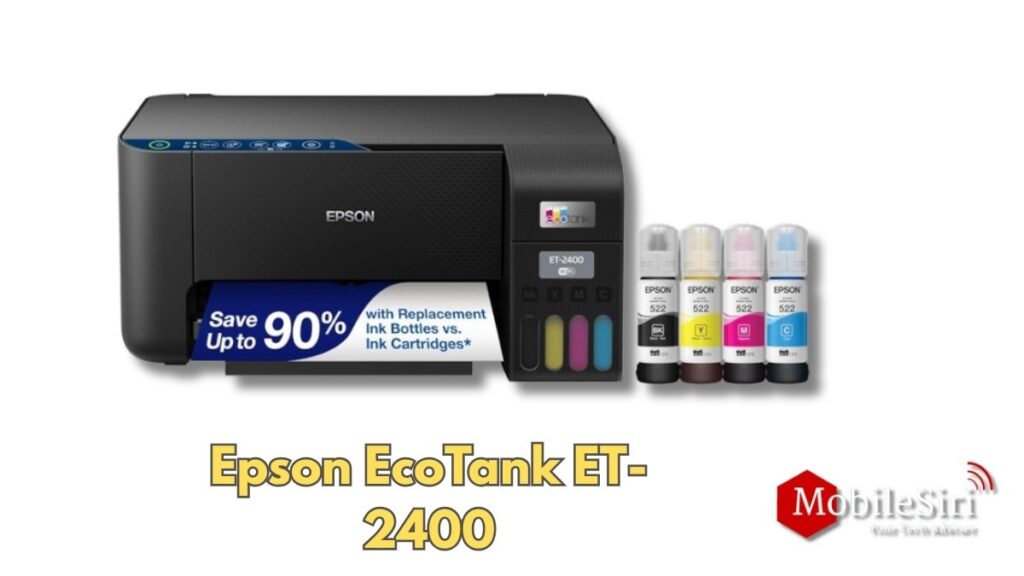
The Epson EcoTank ET-2400 is the best budget wireless color all-in-one printer capable of printing sharp documents. It gives 1200×600 dpi for mono and 4800×1200 dpi for color prints. The page-per-minute rate is very impressive. It gives 10 ppm for black&white printing and 5 ppm for color mode. The Pinter features an input tray that has the ability to accept up to 100 sheets.
Moreover, it also has a flatbed scanning facility. The printer can be used for copying and printing as well. The replacement ink bottles allow you to print up to 4,500 black and white pages and 7,500 color pages. Another significant feature is the ease of Wi-Fi connection and various mobile printing options.
The Epson EcoTank ET-2400 Wireless Printer features auto-on/off technology to save energy consumption. It supports a wide range of papers such as Half letter, legal, Letter, executive, A4, and A6.
Pros
- Cartridge-Free Super Tank Printer
- Up to 2 years of Ink in the Box
- Save upto 90% with Replacement Ink Bottles
- Easy Home printing every day
- Used for scanning and copying.
- Up to 2 Years of Ink included in the box
- Wifi and voice-activated Printer
Cons
- No dual-sided Printing
HP Smart Tank 7602
Best tank printer for Home Use
When it comes to technology, one can always depend upon the brand, especially in terms of connectivity and the excellent technology of the wireless printer.
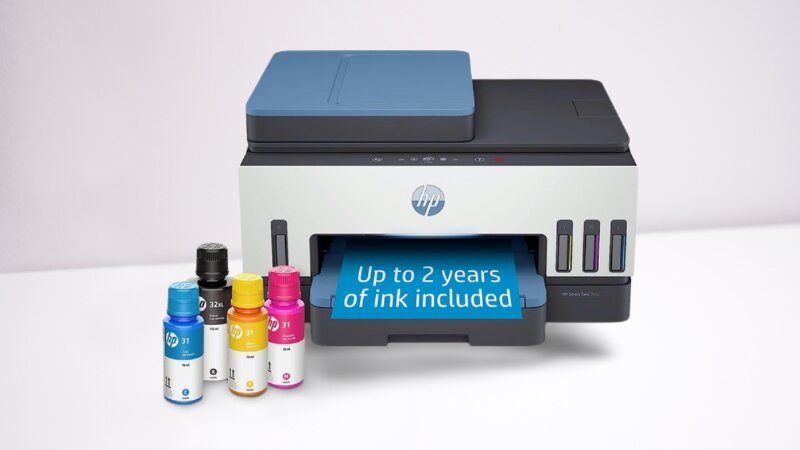
HP Smart Tank 7602 printer is among the most expensive Best Supertank Printers under $500. The inkjet printer offers excellent quality and speed of printing, thus printing 9 pages per minute in colour and 15 pages per minute in monochrome. The print gives dark, clearer text, vibrant graphs, and line drawings. It features 2-sided printing on both rear and front paper feeding.
Also, you can scan, print, scan, and Fax, which fulfils all your home or office work needs like printing reports, documents, and family photos. The Tank printer is able to print from various devices such as smartphones, tablets, and PC, etc.
Moreover, it is compatible with smartphones and can print, scan, fax, and copy from anywhere through the HP Smart App via built-in Ethernet and wifi. It can do Mobile printing, double-sided printing, and wireless printing.
That’s what you call one innovative best printers for art prints on a budget!
Pros
- HP 7602 can print up to 8,000 colour pages and 6,000 black pages with the given Ink bottles.
- It is one of the printers with refillable ink tanks
- The automatic feeder can hold up to 35 sheets of paper
- It gives clearer text, graphs, and photos.
- Best Ink Tank Photo Printer
best printer for art prints on a budget
Canon MegaTank G3270 Printer

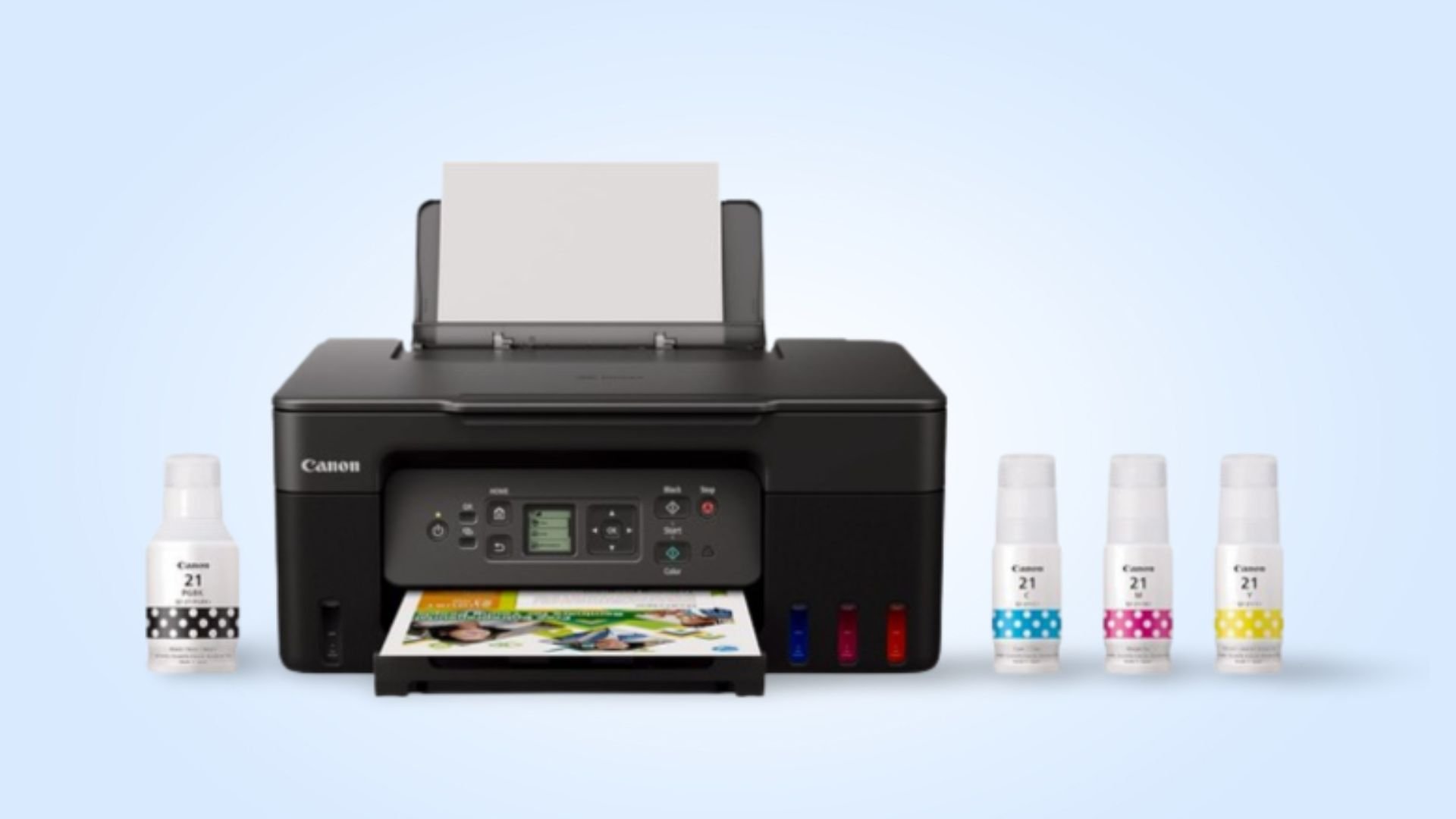
Canon wireless printer offers Connectivity options for smartphones and tablets, Mopria-certified apps, Canon’s own application, AirPrint, Android printing, copier, scanner, fax, and Auto Document Feeder.
The Canon G3270 printer is the leading multifunctional wireless printer and scanner. It gives high-quality documents and photos with a print resolution of up to 8.5″ x 47”.
. It uses an individual ink system, and the overall cost of the ink is quite reasonable. The printer prints photos and documents to give superior prints, bringing out the best quality printing, proving its worth buying such a wireless printer.
Moreover, Canon Megatank G3270 is the best tank printer for home use; it has automatic duplexing for dual-sided printing and can print on various media types. It can print in black and white at up to 11 pages per minute and up to 6 in color.
Lastly, the printer offers both wired and wireless networking. Also, Canon has its app that allows you to print from your phone or tablet, and copy and manage files through a cloud storage service. The Canon G3270 easily prints from your iPhone, iPad, and Mac with AirPrint. Note Air Print lets you wirelessly print photos.
Amazing, isn’t it?
Pros
- The Canon G3270 prints photos faster compared to other wireless printers.
- It can print on a variety of media types.
- It has automatic duplexing for dual-sided printing.
- It is the best printer for art prints on a budget
- The Tank printer can print up to 6,000 black and 7,000 colour pages in one set of ink.
- You can connect with Apple Print and Mopria.
Best for Home
HP Smart Tank 5101 Review
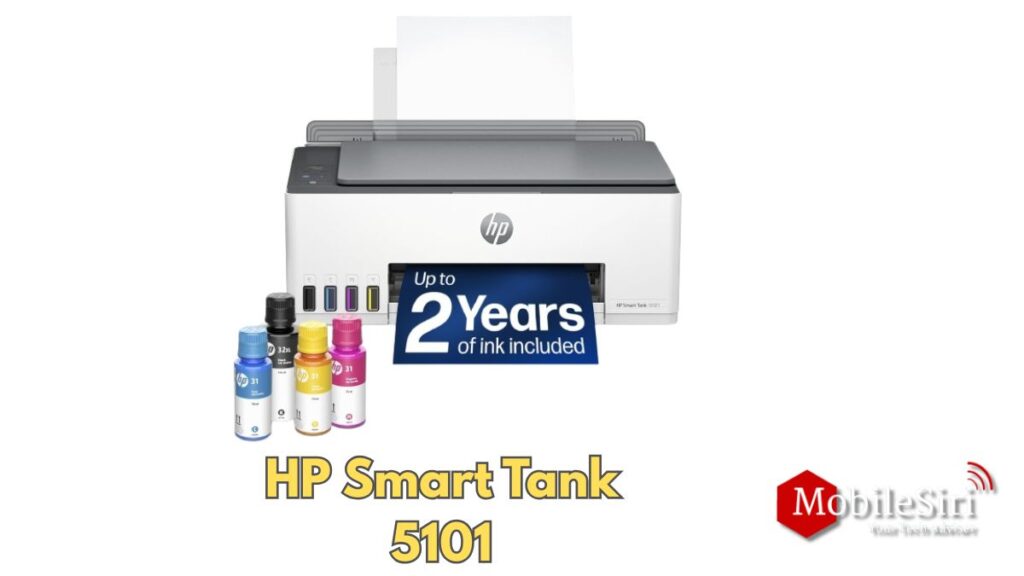
Here’s a comprehensive review of the HP Smart Tank 5101:
Overview
HP’s Smart Tank 5101 is their answer to similar tank-based printers from Epson, Canon, and Brother. Tank printers promise a much lower cost of ownership compared to traditional cartridge-based printers.
💰 Ink Cost & Value
This is where the 5101 truly shines. The printer comes with a full set of four ink bottles estimated to last 7,000–8,000 pages, and replacing all the ink costs around $66 — significantly less than cartridge-based printing at that volume. For high-volume home or small office use, the savings are real.
🔧 Setup & Ease of Use
Setup is straightforward, especially using HP’s smartphone app, which simplifies Wi-Fi connection and allows easy printing from various devices. Loading the ink is a clean process — you place the bottle on the tank and let it drain.
The printer’s smart buttons illuminate to guide you through the printing process every time. HP Smart Advance also makes it easy to manage print jobs, track ink and paper usage, and scan or share documents directly from the printer.
📄 Print Quality & Speed
Text documents in normal quality are clear and legible, while color documents show noticeable improvement in the “best” setting. The printer handles borderless photo printing up to 8.5×11 inches, though output quality isn’t on par with dedicated photo printers.
Print speed is 12 pages per minute for monochrome, but slows to 5 ppm for color — slower than most budget printers. For comparison, Brother’s MFC-J1205W averages a speedier 9 ppm for color documents.
Resolution goes up to 1200×1200 DPI for black and white, and 4800×1200 optimized DPI for color — solid numbers for this price range.
📐 Design & Build
The printer weighs about 11 lbs with dimensions of roughly 17×14×6 inches — sturdy but compact enough for a small-to-medium desk. It includes a 100-sheet input tray, a 30-page output tray, and supports plain, matte, glossy papers, envelopes, and cardstock up to 110 lb.
Four translucent windows on the lower left show ink levels for black, cyan, magenta, and yellow, with a color stripe on each tank for easy visual confirmation.
⚠️ Weaknesses & Complaints
The control panel is unintuitive, and clearing a paper jam isn’t easy. This was a recurring concern in real-world testing.
There’s no automatic duplex (double-sided) printing, and no document feeder — limiting scanning to one page at a time.
Some users on Staples and eBay reported setup difficulties, connectivity issues, and unclear ink-filling instructions, impacting the initial experience.
✅ Pros & ❌ Cons
| ✅ Pros | ❌ Cons |
|---|---|
| Very low cost per page | Slow color print speed (5 ppm) |
| 3 years of ink included | No auto duplex printing |
| Easy ink refilling | No document feeder |
| Good B&W resolution (1200 DPI) | Paper jam clearing is difficult |
| Compact & quiet | Control panel unintuitive |
| Wi-Fi, iOS, Android support | Not ideal for photo printing |
🏁 Verdict
Best for: Home users who print regularly and want to save on ink costs long-term.
Skip if: You need fast color printing, automatic duplex, or professional-grade photo output.
Overall, the HP Smart Tank 5101 offers a cost-effective and user-friendly solution for home printing needs — though for those who print infrequently, a laser printer might be a better choice due to the risk of ink clogs in inkjet printers.
Rating: 7.5/10 — A solid budget ink tank printer held back by slow color speeds and limited scanning features.
All of these Best tank Printers for home use and office use are selected for their exclusive designs and multiple functions. Detailed research is conducted to pick up the top 10 best tank printers for Home use. As we have the best tank printer for home use in the market, choosing one of them based on high-quality prints, quick printing, and various media connectivity options is a wise decision.